 -it: bulk operations in Notion
Contact us
-it: bulk operations in Notion
Contact us
-it: bulk operations in Notion
Contact us
-it: bulk operations in Notion
Contact us
Connects with Notion API and enables users to perform bulk updates, modifications, etc. on a set of Notion records that have been identified through previous filtering.
This extension is designed to detect, filter, prepare and execute bulk operations on filtered rows in your Notion databases. Whether you manage tasks, notes, projects, or large shared databases, performing bulk operations manually can slow you down and clutter your workflow. This tool helps you maintain a clean, consistent Notion environment with minimal effort.
This app requires an internal integration token (in format: ntn_**********) in order to link to your workspace. More in Install via internal integration token.
Typical operation includes:

This step is optional. Use it to filter the records that will be included in the bulk operation. Filtering is case sensitive.
Supporting column types:
phone_number, email, url,
select, status, multi_select,
place, rich_text, title,
people, files, relation,
created_by:
For these column types, you can perform following operations: exclude, contains, is not empty, is empty.
This is how they look like 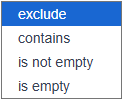 .
.
date: 1st choose date type 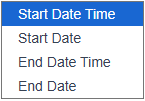 and then
an operation from a list:
and then
an operation from a list: is before, is after,
at, is not empty, is empty 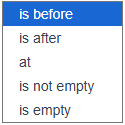 . Next set local
date/time. All times in a table are converted to a local time, so
filtering operates in local time.
. Next set local
date/time. All times in a table are converted to a local time, so
filtering operates in local time.
number:
choose the following operations: ==, !=,
<, >, is not empty,
is empty.
created_time, last_edited_time:
choose the following operations: is before,
is after, at.
checkbox:
choose the following operations: ==,
!=.
last_edited_by:
choose the following operations: exclude,
contains.

This is the main feature, allowing you to perform operations on multiple records at once based on the filters you have applied.
You can update the following types:
rich_text, title, url,
email, phone_number - set a text value
.
number - set a number.
date - choose a date type 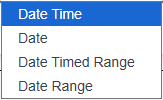 and set a
date/time value. It is the local time date.
and set a
date/time value. It is the local time date.
status - type in predefined property.
relation - list of possible records in related
table, limited to 1st 10 records. To get more records or specific record
you need to filter results in the input field.
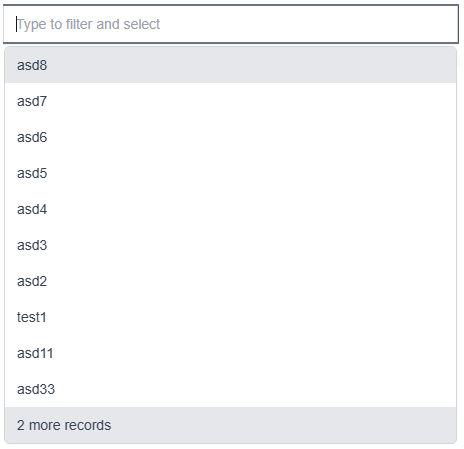
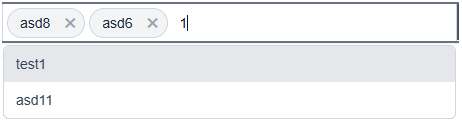
people - choose from list of users in a
workspace.
select - set an existing option or create a new
one.
multi_select - set a list of existing options or
create a new one.

checkbox - true/false.
locked - true/false.
archive - true.
move to - list of neighbour tables. This operation
must be performed on its own. If other operations are selected at the
same time, a confirmation dialog will be displayed, and any previous
selections may be lost.
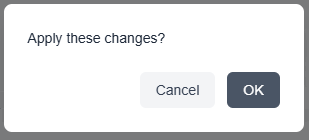
Table view is for visual representation of Notion table, filtering operations or updates result. All times in a table are converted to local time.
The 1st column can contain an indicator for a row:
Locked rows cannot be modified, so no operations can be performed on them. An exclamation mark indicates that an update could not be completed for a specific row, usually due to an error.